feature description

“Office Professional Academic 2010” Is Now “Office University 2010”

Office Academic 2010 is now Office University 2010 with more stringent verification rules. Buy Office University 2010 for higher education and not by K12 students. Microsoft Office team has recently made some deterring changes to its policy of selling hugely discounted Office version for academic fraternity. Microsoft Office Professional Academic 2010, which is a discounted version of…

Read more

Microsoft Project 2010: What’s Exclusive!

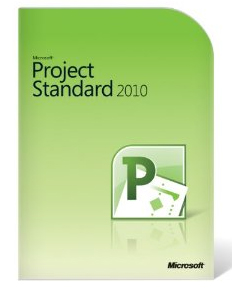
The article enlists Microsoft project 2010 features and capabilities. Microsoft Project 2010 is an standalone Office application that's primarily used by business professionals, enterprises and management guys and it solves not one but several purposes for its high-end users and businesses. Below are the features and capabilities of Microsoft Project 2010 and gives you enough reasons on why compromise on efficiency and productivity in business throughput if you're still not making use of Microsoft Project 2010.

Read more

Microsoft Publisher 2010: What’s Exclusive!

Microsoft Publisher 2010 is another critical Office application that's widely used by web developers and designers for creating websites and web templates. And now with the arrival of Office 2010, Microsoft has added flurry of features to the existing capabilities of Publisher and packaged it well in Microsoft Publisher 2010. Here's everything new that has been added in Microsoft Publisher 2010. Take a look !

Read more

Microsoft Access 2010: What’s Exclusive!

With the latest release of Microsoft access 2010, Microsoft has made some critical additions to the feature set. Microsoft Access 2010 is one of the most extensively used office applications, primarily by IT professionals and enterprises. Microsoft Access is an RDBMS from Microsoft that basically provides a combined pool of Database management, software development tools, presented in a user-friendly GUI so that any programmer, developer or IT administrator can create, manage databases and build software applications by making use of the databases. Now, with the latest release of Access 2010, Microsoft has made some critical additions to the feature set and capabilities of Access 2007, making it more productive for IT professionals and business users.

Read more

Microsoft Office 2010 Product Key Card

Know everything about Office 2010 Product Key Card, installation and activation details, how to get a Product key card for upgrading to full Office 2010 version. Although Microsoft released Office 2010 last week for purchase through Online stores as well as retails outlets, another alternative way by which Microsoft has been providing trial version of Office 2010 to end consumers is by pre-installing Office 2010 on new computing devices(laptops, netbooks) sold by leading device manufacturers such as Dell, HP, Lenovo etc. The motive behind providing pre-installed Office 2010 trial version is to let people explore the latest features of Office 2010 and unlock the full features and capabilities by upgrading their Office suite  with a Product Key Card. Upgrading Office 2010 through a Product key card is something new for the 'Office' users as this method has been introduced for the first time by Microsoft so here's everything you need to know about Product key card, how to use it, where to find it and method to upgrade your Office 2010 trial version.

Read more

10 videos that Narrate Everything about “Office 2010”

Here's Office 2010 video tutorials, explaining all office applications such as word, excel, powerpoint. With close to 10 million beta testers of Office 2010, the latest productivity suite from Microsoft became a rage, much before becoming available for public release recently. Since Office beta got released, millions of people have got their hands on the latest features of Office 2010 and have been using Office 2010 during last 8 months or so. It wasn't surprising though that many beta testers found it a little tough to getting used to Office 2010 immediately. Also, people wanted to learn more about the features of office 2010, which they had never seen before. To address these concerns and create more excitement among the public for Microsoft Office 2010, Microsoft came up with some awesome introductory videos and training tutorials of Office 2010 applications. Hundreds of beta testers did their bit as well by uploading Office 2010 training videos on Youtube, helping other users understand and utilize the full capabilities of Office 2010. We went through all those videos out there and picked the best 10 "Must-Watch" videos about Office 2010 applications, which are enough to explain everything about Office 2010 features and capabilities. So, if you're geared up to dig more into Office 2010 applications and use your applications more efficiently, don't miss the videos featured below....

Read more

Top 10 reasons Why ‘Office 2010’ is a ‘Must Have’ Productivity suite

The article enlists MS Office 2010 features and advantages. Top 10 reasons why office 2010 is a must-buy software. As Office 2010 has finally been made available to the users worldwide, everyone is asking just one question.... Is Office 2010 worth a buy ? As we've been busy covering every bit of information, news and updates surrounding Office 2010 since it got announced back in 2009, we've certainly got the answer to the question quoted above. Without much ado, let's get down to real stuff... Below are the Top 10 reasons why Office 2010 is a 'Must-have' productivity suite and why you shouldn't give it a miss ! Here we go !

Read more

This Pop-up Is Included in the Theme
Best Choice for Creatives
Purchase Now