Share This Article
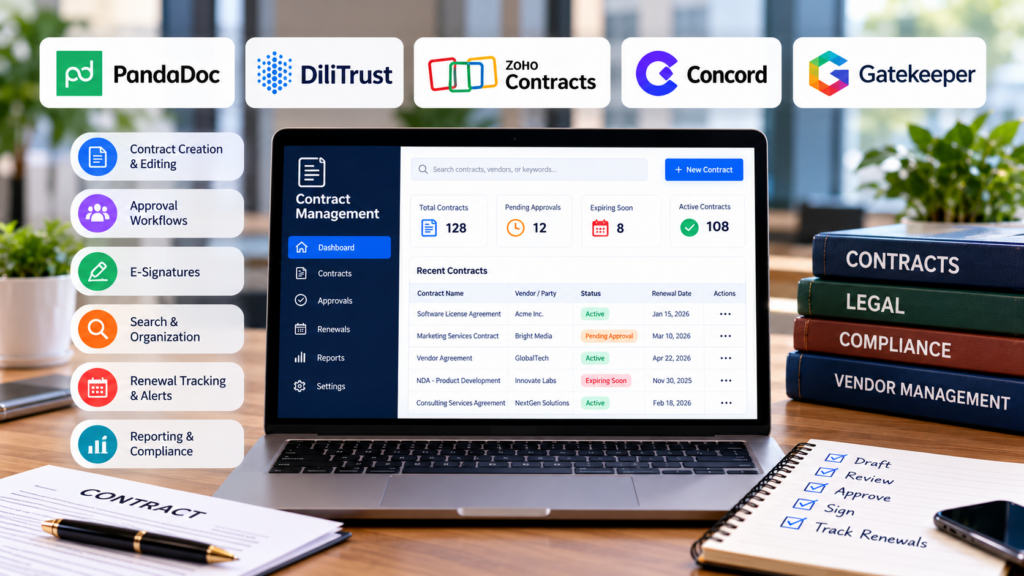
Contract management software can cover very different parts of an agreement’s lifecycle. Some tools focus on drafting and approvals, while others emphasize searchable contract records, renewal tracking, or integration with broader legal operations. Comparing products by feature count alone can produce a shortlist that doesn’t match how a team manages its contracts.
The right platform should fit your team’s existing processes, make important agreements easier to find, and help prevent deadlines or contractual obligations from being overlooked.
This guide compares five contract management software tools by their practical scope, the teams they suit, and the key things to verify before choosing one. Use it to narrow the field, then assess the finalists against your workflows.
Table of Contents
Contract Management Covers More Than Storage
Contract management involves more than storing signed agreements. The process can include preparation, negotiation, approvals, execution, performance monitoring, renewal, and closure.
A team may need software for only some of these stages. One business might primarily need to find signed agreements quickly, while another needs automated review workflows and a reliable way to track contractual commitments.
Before comparing products, decide which stages your team wants the software to support and which already work well elsewhere. Then check whether each product handles those needs directly or relies on an integration, separate module, or manual handoff.
For a broader perspective on managing business documents, TechPluto’s guide to document organization and workflow tools explores related ways to organize files and streamline everyday work.
5 Contract Management Software Tools to Consider
1. PandaDoc: Keep Signed Agreements in View
PandaDoc’s contract lifecycle management software targets growing teams that want better visibility into their agreements after signing.
The platform describes features for capturing important details from completed contracts, organizing new and legacy agreements in a searchable repository, and alerting teams about upcoming renewals.
Its workflow also includes contract creation, approvals, electronic signatures, and reporting on renewal timelines and agreement status. This combination may suit teams that want one place to manage documents and identify what needs attention after signing.
Before choosing a plan, check how its approval and signature steps fit your current process and how existing agreements would be imported. You should also verify which features are included in the plan you’re considering.
Best for: Growing teams that want searchable contract records, visibility into important dates, and renewal tracking.
2. DiliTrust: Manage Contracts Alongside Governance
DiliTrust’s contract management software is designed for in-house legal departments and organizations that need structured contract workflows.
The platform covers work from importing or creating an agreement through collaboration, signature, storage, and ongoing tracking. Its product information also describes configurable workflows, version history, reminders, and reporting.
For teams considering broader governance management software, DiliTrust places contract management alongside board portal, entity management, and matter management capabilities in a wider suite. This approach may suit legal departments that coordinate these responsibilities and want them in a shared environment.
Collaborators can review and edit contracts using Microsoft Word or Google Docs, while access controls help govern who can view or manage individual records. Searchable storage and version history can also help teams keep track of document changes.
When evaluating the platform, ask how it would handle your approval paths and which connections to existing systems would use an API or require custom work. This can help you judge whether the wider suite fits your team’s needs.
Best for: In-house legal teams that want contract management integrated with broader governance workflows.
3. Zoho Contracts: Carry the Workflow Through Negotiation
Zoho Contracts supports several stages of an agreement within one contract lifecycle management system.
Its workflow includes:
- Drafting: Start from a template, assemble clauses, or use the built-in document editor.
- Review and negotiation: Route contracts through sequential or parallel approvals, then share them with counterparties for comments and suggested changes.
- Signing and follow-up: Send agreements for electronic signatures through Zoho Sign, assign obligations, and set reminders for upcoming actions.
The platform also describes a central contract repository, version history, and reporting capabilities. This range may suit teams that want to manage both negotiations and post-signature responsibilities within the same system.
During a product demonstration, test a contract initiated by an external party as well as one that follows your standard internal approval route. This will help establish whether the workflow handles the situations your team encounters most often.
Best for: Businesses that want to manage drafting, approvals, negotiation, signatures, and contractual obligations in one system.
4. Concord: Connect Intake, Negotiation, and Signing
Concord’s contract management platform brings contract requests, collaboration, negotiation, and signing into a connected workflow.
Intake forms can collect requests from business teams, while workflow rules help route drafts for approval. Real-time editing, redlining, and version control support negotiation between internal stakeholders and external parties.
Concord also offers electronic signatures and integration options for teams that use other signing tools. For existing agreements, its document management capabilities can help teams organize signed contracts, search records, and track important deadlines.
This combination may suit organizations that want to bring new contract requests and existing agreements into one workspace.
During an evaluation, test two scenarios: a new request moving through review and signature, and an older agreement being uploaded. Check whether the extracted details, document history, and reminders fit how your team handles its records.
Best for: Teams looking to connect contract intake, approval routing, negotiation, and signing.
5. Gatekeeper: Connect Contracts to Vendor Records
Gatekeeper’s contract management platform connects contracts with the vendors behind them, helping teams manage agreements alongside related supplier information.
Its workflows cover contract intake, approvals, signing, obligations, and renewals. The wider platform also includes vendor management capabilities, with additional modules for supplier onboarding, risk, and performance.
Keeping vendor and contract information connected can be useful when procurement, legal, and finance teams need a shared view of supplier agreements and related business information.
However, the available functionality depends on the configuration and modules selected. Confirm which vendor management features and integrations your team needs and whether they are included in the proposed setup.
Best for: Procurement, legal, and finance teams that manage supplier agreements alongside vendor information.
How to Choose the Right Contract Management Software
The best choice depends on the recurring problem your team wants to solve.
- Signed agreements are difficult to find or renew on time: PandaDoc emphasizes searchable contract records, extracted details, and renewal tracking.
- Contract work needs to sit alongside governance tasks: DiliTrust connects contract management with board, entity, and matter management.
- Negotiations and approvals create too many handoffs: Zoho Contracts supports internal approvals and counterparty review, while Concord combines intake, redlining, and approval routing.
- Supplier contracts are disconnected from vendor oversight: Gatekeeper links contract records with vendor, risk, and spend information.
These are starting points for building a shortlist, not a substitute for testing the actual workflow. Similar product descriptions can conceal differences in scope, so check which stages, integrations, and modules are included in the setup you would buy.
Test What Happens After Signature
A polished drafting and approval process does not show how useful a platform will be once agreements are signed. Evaluate post-signature work separately by checking how records are imported, how commitments are assigned, and how teams access the information they rely on.
Bring Existing Agreements Into the Picture
Choose a small sample of signed contracts that varies by age, format, and agreement type. Use TechPluto’s guide to document organization and workflow as a reference when deciding what your team needs to standardize before testing how files enter the system and which information becomes searchable.
This exercise can help reveal whether a platform handles your existing documents effectively or requires significant manual preparation.
Make Ownership Visible
A renewal alert is useful only if someone knows what to do with it.
Check whether team members can assign a named owner to an obligation or deadline, set reminders early enough to act, and see which items still need follow-up. If responsibility changes, find out how the record and its notifications are updated.
Verify Extracted Details
If a product uses AI to identify dates, terms, or obligations, test it against agreements your team already understands.
Include amendments and documents containing multiple dates. See whether reviewers can trace extracted details to the source text, correct mistakes, and understand how those corrections affect reports.
This is particularly important when teams rely on automated extraction to identify renewal dates or contractual commitments.
Separate Included Features From Planned Work
As you compare vendors, note which requirements work in the proposed setup and which depend on configuration, an add-on, or a connection to another system.
Ask vendors to demonstrate your actual workflow rather than relying solely on feature lists. This makes it easier to compare the expected setup, implementation effort, and ongoing administration.
Decide How Much Contract Management You Need
A team with a small number of standard agreements and a simple approval process may not need a broad contract management platform.
A central repository, a consistent way to collect signatures, and a reliable calendar for key dates could cover its main needs. More advanced software becomes worth exploring when contracts pass through several departments, follow different approval routes, or carry obligations that need ongoing ownership.
Before committing to a full system, define the smallest workflow it must handle from beginning to end. Include the people who request, review, approve, sign, and monitor agreements.
Then separate essential requirements, such as access controls and renewal reminders, from features that would be useful but do not address the current problem.
A larger feature set can help when processes are complex. It can also introduce setup and administration that a simpler contract operation may not need.
For more ideas on improving everyday business workflows, explore TechPluto’s guide to office productivity tools.
Final Thoughts
The five contract management tools covered here suit different priorities. PandaDoc emphasizes post-signature visibility, DiliTrust connects contract work with governance, Zoho Contracts and Concord support drafting and negotiation workflows, and Gatekeeper links agreements with vendor oversight.
There is no single best platform for every organization. The right choice depends on the agreements you manage, the teams involved, the stages you want to automate, and the systems you already use.
Start by identifying the contract-related problems that take the most time or create the greatest risk. Then test shortlisted platforms against real examples from your workflow and confirm which features, integrations, and modules are included.
A well-chosen contract management system should make agreements easier to find, responsibilities clearer, and important deadlines easier to manage without adding unnecessary complexity.