Share This Article
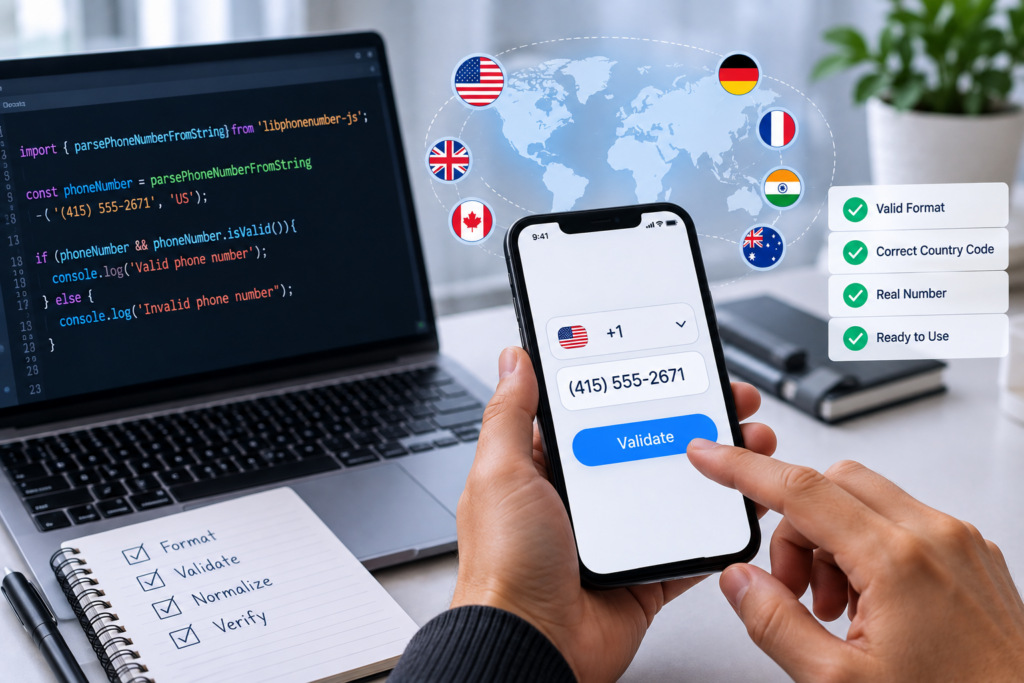
Image generated by ChatGPT
Phone numbers are simple. Validating phone numbers is surprisingly hard. Many developers assume a phone number is just a fixed-length string of digits. In reality, phone formats are dependent on country, carrier, dialing situation, and user preference. What validates well in one market can easily invalidate good users in another or allow bad data into your system.
This challenge becomes more apparent when applications accommodate international users or multiple input channels. React phone number validation is one such example. Developers need to find the right balance between user-friendly formatting and accurate validation logic. That can be very helpful, as long as you have the right tools and methods in place. But if the front end, back end, and database don’t all follow the same rules, users may run into confusing errors or inconsistent results.
Table of Contents
Relying on Simple Regex Patterns
One of the most common mistakes is to use a simple regular expression such as “only 10 digits” or “must start with a plus sign.” Regex can help check simple structure, but it’s rarely enough for true phone validation.
For example, a 10-digit rule could work for many US numbers but will not work for valid numbers from the United Kingdom, Germany, India, Brazil, and many other countries. Even within the same country, mobile, landline, toll-free, and premium-rate numbers may have different patterns.
To avoid this problem, use a reliable phone number parsing library that supports international numbering plans. Libraries built on Google’s libphonenumber are a great option as they consider country-specific rules, formatting, and number types.
Disregarding Country Codes
Another common problem is checking a number when you don’t know the country. Local phone numbers may only be valid for a specific country or region. For instance, the same string of numbers can have different meanings depending on whether the user is in the United States, Australia, or France.
Developers must not require users to provide a phone number without collecting or deducing the country code. A country selector, geolocation hint, or account profile setting can help determine how to interpret the number. However, geolocation should only be used as a convenience, not as a hard-and-fast rule, as users may be traveling or using foreign numbers.
Mistaking Formatting for Validation
Validation and formatting are related, but not the same. Formatting a number makes it easier to read, like showing “(415) 555-2671” instead of “4155552671.” Validation is the process of determining whether the number is structurally possible or actually valid for a region.
A common mistake is to dismiss numbers just because they aren’t displayed the way you want them to be. Spaces, hyphens, parentheses, or international prefixes can be entered by users. Normalize your input and validate it in your application. Remove unnecessary characters, convert international dialing prefixes as needed, and store numbers in a consistent format, e.g., E.164.
Not Normalizing Stored Numbers
Storing phone numbers exactly as users enter them can cause problems down the road. Detection of duplicated content is difficult, searches become unreliable, and integrations with SMS or voice providers may fail.
For example, one user might enter “415-555-2671,” another might enter “+1 415 555 2671,” and another might enter “(415) 555-2671.” These may be the same number, but your system may see them as different values.
The best practice is to store a normalized version, typically in E.164 format, such as “+14155552671. “You can still present the number in a friendly local format, but your internal systems should use the normalized value.
Blocking Valid Cases
Some validating systems are too strict and reject valid numbers. This is common when developers assume all phone numbers are at least or at most a certain length based on local examples they are familiar with. Phone numbers for international locations can be very long.
Other edge cases are extensions, short codes, toll-free numbers, emergency numbers, and numbers that are valid for voice calls but not for SMS. If your application needs SMS delivery specifically, structural validation is not enough. You might want to check whether the number type can receive text messages or go through a verification step.
Omitting Server-Side Validation
Client-side validation can improve user experience but should never be the only layer of validation. Users can bypass front-end checks, APIs can extract data from third-party systems, and mobile apps may lag behind web updates.
Always validate phone numbers on the server before you store or use them. So ideally, the server is the source of truth and the client is providing helpful feedback in real time. This avoids inconsistent rules and protects your application from malformed data.
No Check for Ownership
A number that looks valid is not necessarily the number of the person typing it in. After validation, verification should be done for account creation, password recovery, two-factor authentication, and sensitive notifications.
The usual verification method is using SMS or voice one-time codes. They verify the number is accessible to the user at that time. Developers should also consider rate limiting, fraud prevention, and fallbacks for users who can’t receive messages.
Conclusion
Validating phone numbers is harder than it looks. Phone numbers are global, variable, and context-dependent. Most of the problems can be avoided by using trusted parsing libraries, collecting country information, normalizing stored values, validating on the server, and verifying ownership when necessary. This thoughtful approach can help reduce user frustration, improve data quality, and make communication features more dependable.