Share This Article
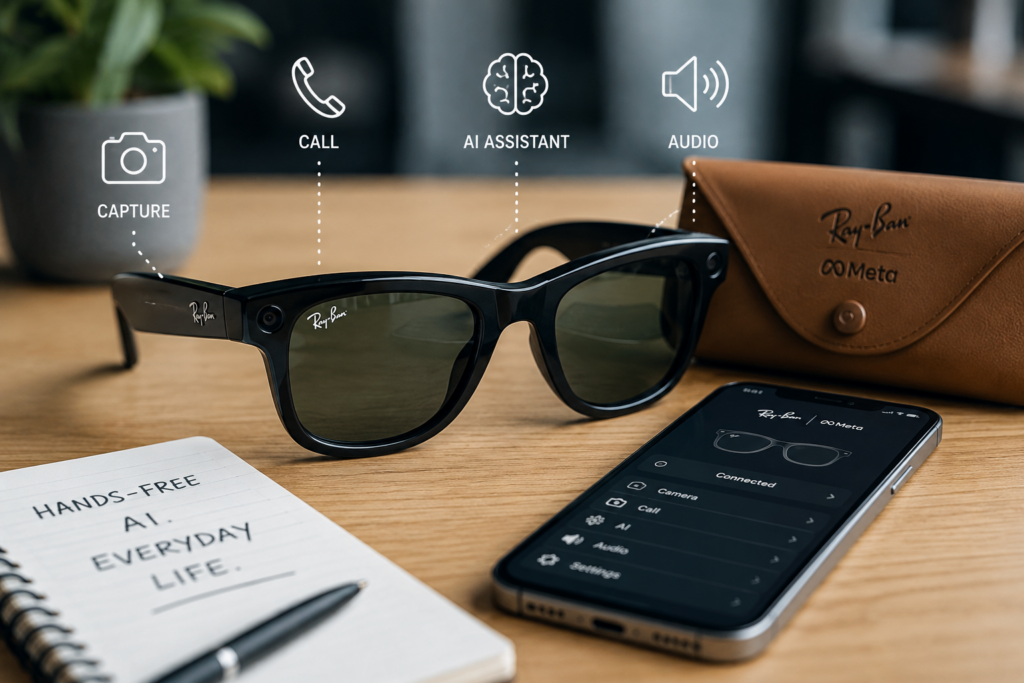
Smart glasses have long promised the convenience of keeping your hands free, but many early versions felt too bulky, too experimental, or too socially awkward for everyday use. The difference with Ray-Ban Meta smart glasses is that they begin with a familiar idea: everyday eyeglasses..
They look more like normal glasses than a tech headset while adding a camera, open-ear audio, voice controls, and AI features. The real question is whether they are useful enough for ordinary life or still mostly a clever gadget.
Table of Contents
What Are Ray-Ban Meta Smart Glasses Trying to Do?
Ray-Ban Meta smart glasses are designed to bring digital features into eyewear that people can actually wear. Instead of asking users to hold a phone for every photo, call, message, or quick question, the glasses make some of those actions hands-free.
They can support everyday tasks such as:
- Taking photos
- Recording short videos
- Listening to audio
- Making calls
- Using voice commands
- Asking AI-powered questions
- Capturing first-person content
- Staying connected while moving
The appeal of this version of Meta glasses is not only the technology. It is the attempt to make smart glasses feel normal enough for daily wear. That matters because eyewear sits on the face. If the design feels awkward, people may stop using it no matter how smart it is.
What Feels Most Useful in Everyday Life?
The most compelling everyday use case is hands-free convenience. Smart glasses are most useful when reaching for a phone would interrupt the moment.
This may be useful when:
- Walking
- Travelling
- Cooking
- Running errands
- Going to informal events
- Shooting short social clips
- Taking brief calls
- Listening to music or podcasts
Somebody walking through a market might shoot a short first-person video without stopping, for example. A parent could record a quick family moment while staying involved. A traveler could take a photo without pulling out a phone in a crowded area.
That kind of convenience is where smart glasses feel practical. They are not trying to replace every device. They are trying to reduce small interruptions.
How Good Is the Camera Experience?
The camera is one of the most important features because it gives the glasses a clear purpose. The benefit is not that it replaces a phone camera. A phone still gives more control over framing, zoom, preview, and editing. The advantage is speed and point of view.
Smart-glasses footage feels natural because it records from eye level. That works well for:
- Travel clips
- Outdoor walks
- Behind-the-scenes content
- Casual social media videos
- Quick family moments
- First-person tutorials
- Event highlights
The limitation is control. Because the camera follows the wearer’s head, fast movement can make footage feel shaky or distracting. Framing can also be imperfect. If the wearer looks away, the video looks away too.
The best results come from short, intentional clips rather than long recordings. Move slowly, face the subject clearly, and avoid filming everything just because recording is easy.
How Useful Are the AI Features?
The AI features make the glasses more interesting because they are more than just basic recording and audio devices. Voice-based AI is useful for quick questions, simple information, reminders, and hands-free interaction.
This can come in handy when the user is busy, walking, cooking, traveling, or carrying something. Users can speak a question or task into the glasses instead of picking up a phone to type or search.
AI may help with:
- Quick information checks
- Simple translations where supported
- Creative prompts
- Captions or descriptions
- Hands-free reminders
- Basic everyday assistance
- Learning more about what the user is seeing
The wider growth of AI assistants in everyday devices shows why smart glasses are becoming more than camera accessories. They are part of a larger trend toward technology that responds through voice, audio, and context.
However, AI should not be considered perfect. It can misinterpret commands, give partial answers, or ask for confirmation. It is useful as an assistant, not as a final authority.
How Does the Audio Perform for Daily Use?
Open-ear audio is useful because it allows users to listen to calls, music, podcasts, and voice responses without wearing earbuds. This can be more comfortable for casual use, especially during walks, errands, or light work.
The advantage is convenience. There is no need to put in earbuds for every short call or audio prompt. The glasses are already on the face, so audio becomes part of the eyewear experience.
The tradeoff is privacy and sound quality. Open-ear audio is not the same as noise-canceling earbuds or over-ear headphones. In loud environments, it may be harder to hear clearly. In quiet places, users should also be mindful of sound leakage.
For casual listening and quick calls, the audio can make sense. For deep music listening or noisy travel, dedicated earbuds may still be better.
Are They Comfortable Enough to Wear Often?
Comfort may decide whether smart glasses succeed more than any single feature. A phone can be heavy and still stay in a pocket. Glasses have to sit on the face comfortably.
When evaluating comfort, users should pay attention to:
- Weight
- Fit on the nose
- Pressure behind the ears
- Whether the frame slides
- Long-wear comfort
- Lens options
- How natural the frame looks with everyday outfits
The best smart glasses should feel like eyewear first. If they feel too heavy or distracting after an hour, the technology becomes less appealing.
This is why design matters. Research into all-day wearable smart glasses highlights the challenge of balancing imaging performance, device size, comfort, and everyday wearability. Smart eyewear has to work technically, but it also has to feel wearable.
What About Battery Life?
Battery life is one of the most practical limitations. Since smart glasses are small, they have a smaller battery capacity than larger devices. Video recording, AI usage, calls, and audio playback consume power faster than light use.
These glasses are better suited for short bursts of use throughout the day rather than constant recording or heavy all-day use.
Users should consider:
- How often they record video
- How much audio they play
- Frequency of AI feature use
- Whether the charging case is convenient
- How often they carry their charger
- Whether the battery life fits their daily routine
If the primary goal is occasional capture, calls, and light AI usage, the battery might seem acceptable. If the goal is heavy video recording, the limitations will show more quickly.
What Are the Privacy Concerns?
Privacy is one of the biggest issues with camera-enabled smart glasses. A phone camera is usually obvious because someone has to raise the phone and aim it. Glasses can feel less noticeable, even with recording indicators.
Users have to be mindful of where and when they record.
Do not record in restrooms, changing rooms, or private homes without consent. Other examples include sensitive work environments, schools without explicit consent, and hospitals or medical environments.
Good smart-glasses etiquette is simple: if you would not feel comfortable recording something on a phone, you probably should not be recording it with glasses either.
People also need to check their privacy settings, app permissions, cloud-sync settings, saved media, and sharing controls.
Basic internet-connected device security habits apply here as well: keep software updated, protect accounts, review permissions, and understand what data is being stored or shared.
Who Are They Best For?
Ray-Ban Meta smart glasses are not for everyone. They are most useful for people who already see value in hands-free capture, calls, audio, and AI assistance.
They may be a good fit for:
- Travelers
- Creators
- Parents
- Commuters
- Outdoor walkers
- Social media users
- People who take many quick photos or videos
- Users who want less phone handling
- Anyone curious about wearable AI
They may not be ideal for people who want professional video quality, all-day heavy recording, advanced AR displays, or complete privacy from surrounding attention.
The best user is someone who wants convenience, not perfection.
What Are the Main Strengths and Weaknesses?
The strengths are obvious:
- Familiar eyeglass design
- Hands-free photos and videos
- Useful open-ear audio
- Voice commands
- AI assistance
- Natural first-person capture
- Great for travel and social content
- Less need to reach for your phone
The weaknesses are real too:
- Battery limitations
- Privacy concerns
- Less camera control than a phone
- Potentially shaky footage
- Limitations of open-ear audio
- AI is not always perfect or appropriate for every setting
That balance is what makes the product interesting. It is more practical than many smart glasses that came before it, but it is not a complete replacement for phones, earbuds, or dedicated cameras.
Final Verdict: Is Hands-Free AI Ready for Everyday Life?
Hands-free AI is getting closer to everyday usefulness. Ray-Ban Meta smart glasses show that wearable AI works best when it is built into something familiar, comfortable, and easy to wear.
They are not perfect. Battery life, privacy, camera control, and social comfort still matter. But for quick photos, short videos, calls, audio, and simple AI-powered assistance, they can make daily digital tasks feel lighter.
The strongest reason to consider them is not that they do everything. It is that they make a few common things easier. For the right user, that may be enough to move smart glasses from a tech novelty to an everyday accessory.

Prashant Sharma
Prashant Sharma is a Delhi based Entrepreneur who spent most of his college days polishing his marketing skills and went for his first business venture at 19. Having tasted failure in his entrepreneurial debut, he turned a Tech-enthusiast, specializing in web technologies later. Join him on Google Plus