Share This Article
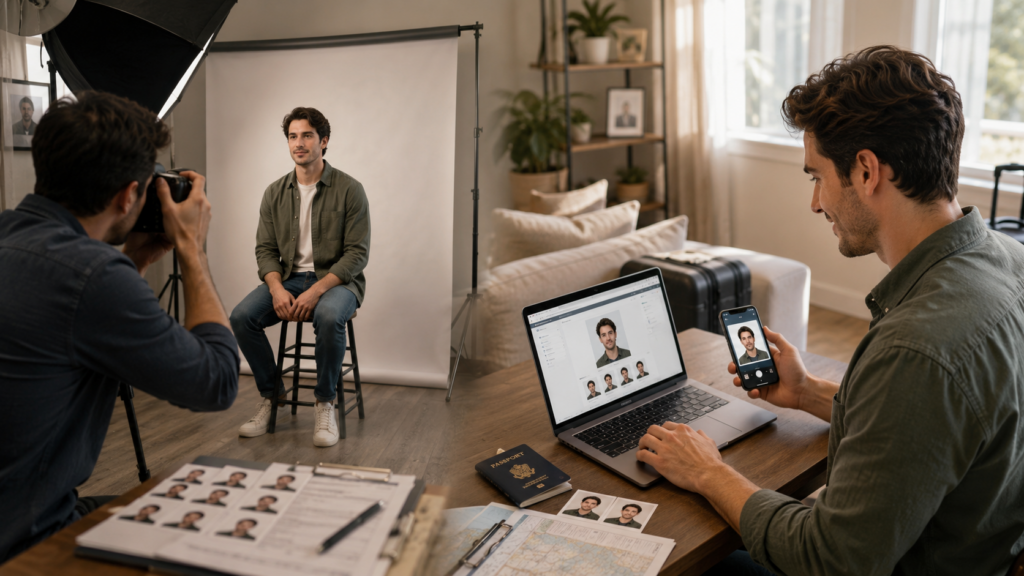
Most individuals don’t think about passport photos until they suddenly need one. Maybe you have a visa application due tomorrow. Maybe your kid needs a passport shot, but the thought of transporting them to a studio sounds like a hassle. Or you may find that the photo you have is the wrong size, the wrong background or not acceptable to upload online.
In the old days, the standard answer was simple: a visit to a photo studio. Today there is another choice. You can snap a photo on your phone and utilize an online tool to make the proper passport, visa or ID photo format.
So which one is better? The answer is: it depends on what you need most: professional help, timeliness, cheaper cost or flexibility.
Table of Contents
The Traditional Option: Go to a Photo Studio
If you just want someone else to do it, a photo studio is still a safe bet. You walk in, sit down for a minute and the photographer takes care of the lighting, the framing, the printing. For a normal passport renewal, that can be totally OK.
If you don’t have a lot of time or are applying for something less usual, like a foreign visa, it’s not as great. You might have to work round the studio opening hours, queue up and pay extra if you need a different size later.
The main difficulty is that rules are not the same everywhere. A studio may be highly familiar with the local passport format, but this doesn’t always mean they know the specific size, background, head position or digital upload requirements for another country’s visa. One little mismatch and you have to retake the photo.
Why Online Passport Photo Makers Gained Popularity
A big reason online passport photo producers took off is that travel documentation is rarely done at the right time.
Requirements for passport photos also seem to arise at inconvenient moments in the application process. You might have completed most of the form just to find that the photo has to be a specified size or background or digital format. At that time, going on a separate journey to the studio can seem like way too much work for one little file.
Getting it done is easier using an online tool. You don’t need to arrange a studio appointment. You can upload a picture shot at home or at a hotel, resize it to the desired size and download it once it is complete.
And it also makes greater sense for digital applications. There are several kinds of passports and visas and education and work permit that need an image ready for upload. If the application is merely for a digital file, going to a studio just to get printed images is not necessarily essential.
Here is where IDPhotoDIY comes in. You may make passport, visa and ID photos online without the hassle of complicated editing tools or trips to a studio.
Convenience: No appointment required
There is so much to consider when you plan a trip, like flights, visa restrictions, documentation, insurance, passport validity etc.
A studio visit is another task to complete. Online tools eliminate that step. You can prepare your photo in the evening, during your lunch break or when you are sorting out your application paperwork. Parents can also take images of youngsters at home, where the child could be more comfortable than in a studio setting. This convenience is handy for folks living far from a photo shop, studying abroad, working remotely, or needing documents while on the road.
Cost: Online Passport Photos Might Be Cheaper
Photo studios generally charge for the photo session and for printed copies. That’s OK for one passport picture, but the price can soon mount up when you require other formats.
For example, you may require one size for a passport renewal, another size for a visa, and a digital file for an online application.
You can use an online tool to set up the format you want and decide what to do next. When you have your shot, download it as a digital file or take it to a local print shop to print at home. This gives you extra flexibility and helps you cut costs where you don’t need to spend them.
Speed: A Major Advantage for Last-Minute Applications
Many people often leave their visa and passport photos until the last minute, creating an urgent need for them. It constantly happens: the form is ready, the documents are scanned, and then the application wants a compatible photo. If you’re depending on a studio you have to work around their business hours. If the shop is closed or faraway or full with people, you lose time.
An online passport photo maker is available whenever you need it. It’s easy to get your photo prepared and downloaded, which is handy if you need a visa at the last minute, filling out online forms, school documents, work permits or other ID-related documentation.
Quality: A Studio Is Not the Only Way to Get A Great Photo
An excellent studio will make a clear professional photo, but it’s not the only way. If you capture the original image with care, many phone cameras can produce a good passport or ID photo.
The trick is to start with a clean photo. Make sure the light is even, look straight into the camera, and have a neutral expression. Avoid filters, intense shadows, hats, glare on glasses, and crowded backgrounds.
An online tool can aid with cropping, scaling, and formatting, but the source photo still matters. It’s worth taking an extra minute to get the lighting right for a better outcome.
Accuracy: Mistakes Happen in Requirements
A passport photo is not wrong because it is ugly. More often than not, it fails because one little criteria is wrong. The size may be incorrect. The head may be overly big or too little. Background may not be accepted. There may also be pixel or file size restrictions for the photo file in online applications. Requirements differ from country to country and from document to document.
That’s why it’s recommended reviewing the official photo rules before you submit your application. For example, the U.S. Department of State has specific passport and visa photo requirements for applicants needing U.S. documentation.
IDPhotoDIY helps with this phase of the process by preparing images for multiple passport, visa and ID photo sizes. You can create a photo that matches the required format, rather than trimming the image by hand and hoping it fits.
When a Photo Studio Is a Better Option
There are still times when a picture studio can be the appropriate choice. Perhaps you don’t have the right phone or camera, perhaps you have terrible lighting at home, or perhaps you’d rather let someone else take care of the whole process. It can also be helpful if you want printed images right away and have a good studio nearby.
For those who are not confident utilizing online tools, it still might be easiest to visit a studio.
When An Online Tool Might Be Better
An online passport photo tool is generally more practical for speed, flexibility, and cost. This might be particularly beneficial if you need a digital photo, are applying for a visa to a foreign country or want to save yourself another trip. For regular travelers, students, and others working on important papers, internet tools can be more handy than going to a studio.
Which is the best choice?
If you want some personal help or printed images fast, a photo studio is still a good idea. Many people might prefer to use an online passport photo tool. It saves a trip, it works outside typical office hours, it allows you more control and is particularly handy for digital applications. Ultimately, it all depends on your circumstances:
If you want someone else to process you, a studio might be best. An online program is usually the easiest way to quickly make a passport, visa, or ID photo from home.