Share This Article
Low-quality videos are not great for viewer retention or brand perception. Regardless of the content of the footage, viewers see such videos as products of a lack of professionalism, damaging the brand’s reputation at the very least. Luckily, low-quality videos can be upscaled to 4K using AI tools like Vmake Video Enhancer. And you don’t need any editing skills to do this.
Table of Contents
What is Vmake Video Enhancer?
It is a browser-based AI upscaler that transforms low-quality videos into 4K footage. Vmake Video Enhancer uses cloud-based processing to reconstruct low-quality videos into high-quality outputs in minutes without any editing skills required.
The free video upscaler achieves this using pattern recognition and deep learning algorithms to fill the resolution gap needed to transform a low-quality video into high-quality footage.
How to Upscale Low Quality Videos to 4K Using Vmake Video Enhancer
Upscaling a low-quality video on Vmake is easy. Follow these simple steps to upgrade your low-quality video to 4K using Vmake Video Enhancer:
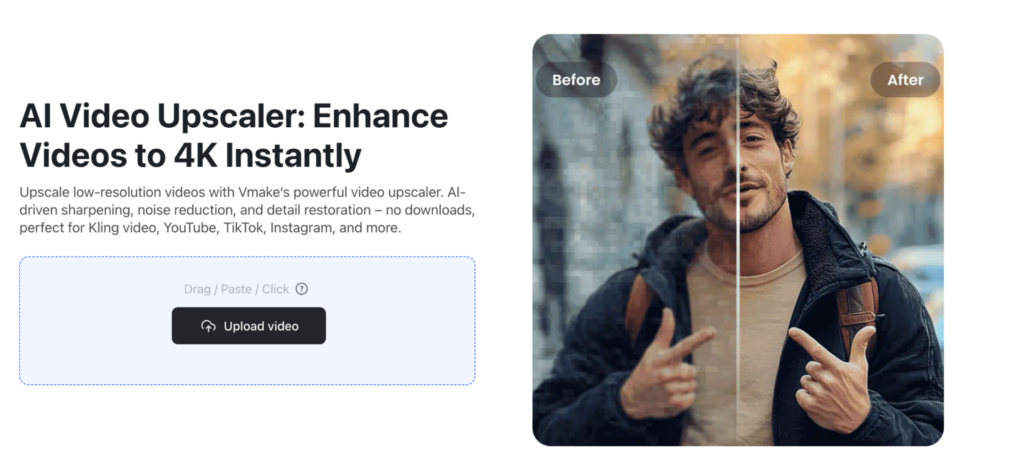
Step 1 – Upload Low Quality Video
Visit the Vmake website and navigate to the video upscaler section. Use the ‘Upload’ button to submit the low-quality video to be upscaled. You are not compelled to sign up to get your video upscaled.
Most of the popular formats are supported.
Step 2 – Choose Enhancement Option
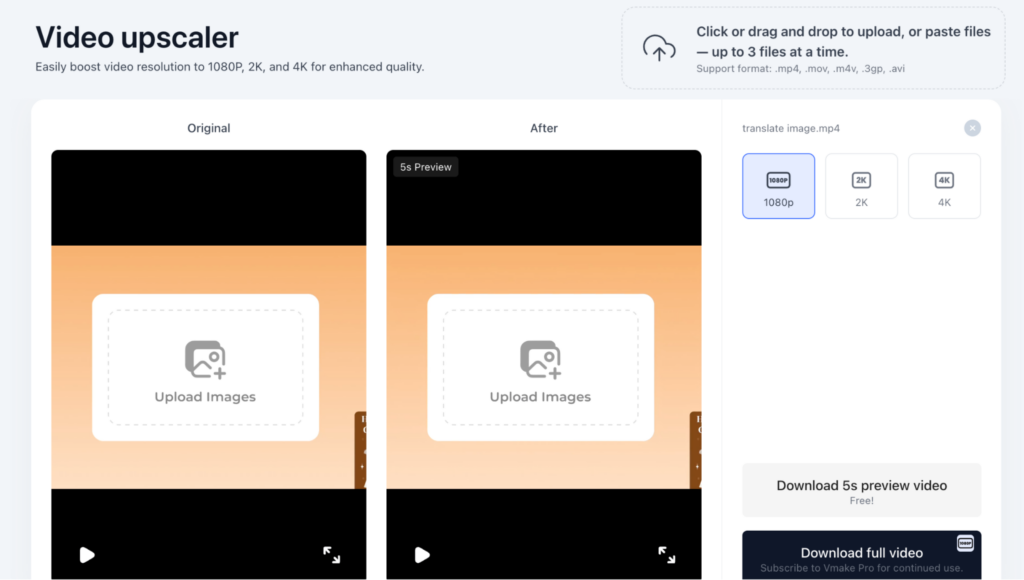
With the low-quality video done, it’s time to choose a resolution. Select 4K from the options. You will also need to choose a relevant scene. Scene choice helps guide Vmake AI in its analysis of your uploaded video.
Step 3 – Preview
After upscaling the video, preview it before you download. The preview gives you a brief look at the upscaled video. You can decide to edit the video or download it.
Step 4 – Download Upscaled Video
If the 4K video meets your quality threshold, click the ‘Download full video’ option to get the media file on your device.
How AI Upscaling Works
AI tools like Vmake Video Enhancer don’t rely on individual skill and device capabilities to upscale videos. Instead, the video enhancer uses a combination of cloud-based processing and deep machine learning to upscale low-quality videos. This allows for a wider user base, not only experienced video editors.
Vmake Video Enhancer’s modus operandi consists of:
- Frame Analysis
Vmake AI analyzes every frame in the low-quality video, identifying patterns in color, motion, and others. Using deep machine learning, the AI tool studies the footage’s details. It can then predict the sort of pixels needed for a high-resolution version of the video.
- Pixel Reconstruction
The AI video enhancer builds on the result of its frame analysis. Vmake Video Enhancer taps into its proprietary AI technology to reconstruct new, matching pixels, relying on your resolution choice for the outcome. This plays a massive role in ensuring the texture and overall motion catch up with the enlarged video.
- Blur and Grain Removal
Visual distortions like blur, grain, and artifacts do more harm to an upscaled video. AI upscalers like Vmake Video Enhancer remove these distortions before the upscaling begins. This ensures a clean and blur-free video is enlarged.
- Video Upscaling
The AI tool enhances the footage using the pixels constructed earlier. Vmake AI introduces these pixels, relying on its pattern recognition to blend them in with those in the original clip. The result is an upscaled footage with realistic texture and edges.
With Vmake Video Enhancer, upscaled videos are larger, clearer, and more realistic.
Benefits of Using Vmake Video Enhancer for AI Upscaling
Vmake Video Enhancer is the go-to option for upscaling videos. The benefits of using Vmake outweigh the cons. Here are some of the benefits of using Vmake Video Enhancer for upscaling low-quality videos to 4K:
- Ease of Use
Vmake Video Enhancer is easy to use. Beginners find the absence of complicated editing controls a sight for sore eyes. Its simple user interface makes it accessible to anyone. You don’t have to spend months learning to use the AI tools. Just upload, choose a resolution, and the AI takes over.
- No Software Installation Needed
Vmake Video Enhancer uses cloud servers for storage and processing capacity. This explains why beginners can upscale low-quality videos to 4K regardless of their device limitations.
- Quicker Editing
Upscaling low-quality videos with Vmake Video Enhancer is faster than the others. You upload your low-quality videos, choose an enhancement option or resolution, and your upscaled video is ready.
- Affordable
On Vmake Video Enhancer, you can upscale low-quality videos for free without signing up. For longer videos, a small subscription is required. Compared to expensive video editing software and other AI tools, it’s highly affordable.
Tips for Best Upscaling Results
Using AI tools to Upscale your low-quality video to 4K is easy. Interestingly, you witness further improvement in the upscaling process by trying a few things. Here are a few tips to follow:
- Clean Your Videos
AI upscalers spend more time processing low-quality videos than mid-quality footage that has fewer artifacts and blurs. You can go through the low-quality footage and remove excess noise and blur, so the AI tool spends less time processing your video.
- Video Length Matters
AI upscaling of longer, low-quality videos leads to lengthy processing times. AI tools like Vmake Video Enhancer use cloud servers to upscale footage, and it shows in the time it takes to process lengthy videos. Avoid longer processing time by splitting long videos into shorter parts before upscaling.
Conclusion
A 4K video always has higher watch time than a low-quality video, irrespective of the content. Upscaling the latter changes everything. AI tools like Vmake Video Enhancer make this possible. By following the steps outlined earlier, you can upgrade a low-quality video to 4K in minutes.