Share This Article
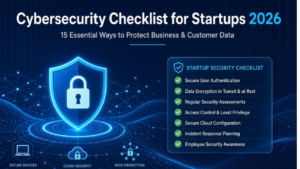
Startups live and die by speed. Product iterations happen weekly, new tools get adopted overnight, and the team is almost always stretched thin. In that environment, cybersecurity often feels like something that can wait until the next funding round or the first enterprise customer. The reality in 2026 is less forgiving. Attackers have noticed that early-stage companies frequently leave the same doors open: weak authentication, secrets sitting in code repositories, unpatched systems, and incomplete backups. A single incident can erase months of progress, damage customer trust, and complicate the next raise.
What follows is a practical, founder-friendly cybersecurity checklist for startups. It is not an enterprise security manual. It focuses on the controls that deliver the highest risk reduction for the least amount of time and money. Each recommendation includes why it matters, how to implement it without derailing the product roadmap, and the common mistakes teams make along the way.
A well-executed cybersecurity checklist for startups does more than reduce the chance of a breach. It builds operational discipline, makes due diligence smoother, and signals to customers and investors that the company takes its responsibilities seriously. The goal is not perfection on day one. The goal is steady progress on the items that matter most.
Table of Contents
Why Startups Are Attractive Targets in 2026
Early-stage companies often underestimate their attractiveness to attackers. They hold valuable intellectual property, customer data, and payment information, yet they typically lack dedicated security staff and mature processes. Automated scanning tools make it easy for opportunistic attackers to find exposed credentials, misconfigured cloud storage, or outdated software. Phishing campaigns have also become more convincing with the help of generative AI, making social engineering harder to spot.
The financial and reputational cost of an incident is disproportionately high for startups. Recovery takes time that could have been spent shipping product. Customers may leave. Future fundraising conversations become more difficult. Building a basic cybersecurity checklist for startups early is far cheaper than responding to a breach later.
1. Turn On Multi-Factor Authentication Everywhere
If you only do one thing from this entire list, make it multi-factor authentication. Credential theft remains one of the most common ways attackers gain initial access. MFA blocks the vast majority of these attempts even when a password is compromised.
Start with the highest-value accounts: company email, cloud provider consoles, source code repositories, banking and payment platforms, and any admin interfaces. Prefer authenticator apps or hardware security keys over SMS whenever the option exists. SMS is better than nothing, but it is vulnerable to SIM swapping.
Make MFA mandatory rather than optional. Document recovery procedures so that a lost phone does not lock the team out of critical systems. Review the list of accounts every quarter to catch newly added tools. This single control forms the foundation of any credible cybersecurity checklist for startups.
2. Put a Password Manager in Place for the Whole Team
Shared passwords in Slack channels or spreadsheets are still surprisingly common in small teams. A password manager removes the temptation and the risk. It generates unique, strong credentials for every service and stores them securely so people no longer need to reuse passwords or invent weak ones.
Choose a tool that supports teams, offers good browser and mobile apps, and makes sharing credentials for shared accounts straightforward. Roll it out with a short onboarding session so everyone understands how to use it. Then require its use for all work-related accounts. Over time, this simple habit eliminates one of the most frequent sources of credential-related incidents.
3. Apply Least Privilege Access Consistently
People and systems should have only the access they actually need to do their jobs. Over-privileged accounts turn a minor compromise into a major one because attackers can move laterally once they are inside.
Review admin roles in your cloud provider, code repositories, project management tools, and other critical platforms. Remove excess permissions. Prefer role-based access where possible and consider just-in-time elevation for sensitive operations. When someone leaves the company or changes roles, revoke access the same day. Schedule a quarterly access review and treat it as a standing agenda item. Least privilege is one of the most effective long-term habits a team can develop.
4. Keep Secrets Out of Code and Configuration Files
API keys, database passwords, and authentication tokens continue to appear in Git history far more often than they should. Even private repositories are at risk if a laptop is stolen or access is misconfigured.
Move all secrets into a dedicated secrets manager. Scan existing repositories with available free tools and rotate any credentials that have ever been committed, even if the commit was later removed. Add pre-commit hooks to catch new secrets before they enter the repository. Make this part of the standard development workflow rather than an occasional cleanup task. Clean secrets management is a non-negotiable item on a modern cybersecurity checklist for startups.
5. Keep Software and Dependencies Updated
Most successful attacks still exploit known vulnerabilities for which patches already exist. Enable automatic updates for operating systems, browsers, and end-user applications. For production systems and libraries, establish a process to evaluate and apply critical security patches within a short window.
Maintain a simple inventory of the software and services you rely on. Use automated dependency scanning in your continuous integration pipeline. Pin versions in production rather than relying on floating “latest” tags. Retire systems that no longer receive security updates. Consistent patching removes a large class of opportunistic attacks with relatively little ongoing effort.
6. Encrypt Data Both at Rest and in Transit
Encryption ensures that data remains unreadable even if storage is compromised or network traffic is intercepted. Enable encryption for databases, object storage, and local disks on company devices. On laptops, turn on the built-in full-disk encryption features. Require TLS for all external and internal connections.
Most major cloud providers make encryption straightforward to enable. Confirm it is active and understand how encryption keys are managed. This control supports both practical security and the growing expectations of customers and regulators.
7. Maintain Reliable, Tested Backups
Backups are only useful if they can actually be restored. Follow the widely accepted 3-2-1 approach: three copies of important data, on at least two different types of media, with one copy kept offline or immutable. Test full restoration procedures on a regular schedule rather than assuming the backups will work when needed.
Immutable or air-gapped copies protect against ransomware that tries to encrypt or delete recovery data. Document recovery time and recovery point objectives so the team knows what to expect during an incident. Strong backup practices turn a potentially catastrophic event into a recoverable one.
8. Build Security Awareness Into the Culture
Technical controls can be bypassed by a convincing phishing email or a well-timed social engineering attempt. Short, regular training sessions help the team recognize suspicious messages, unusual requests, and social pressure tactics. Make reporting easy and non-punitive so people raise concerns early.
Occasional simulated phishing exercises provide useful feedback without creating a culture of blame. Focus on practical recognition skills rather than long theoretical presentations. Human awareness remains one of the highest-leverage and lowest-cost layers of defense.
9. Protect Endpoints with Modern Detection Tools
Traditional antivirus is no longer sufficient against current threats. Endpoint detection and response tools provide better visibility into suspicious behavior and can help contain threats before they spread widely. Many solutions offer pricing and feature sets suitable for small teams.
Deploy coverage on company laptops and servers. Configure meaningful alerts and establish a simple process for reviewing them. Endpoint visibility closes a critical gap that many early-stage companies still leave open.
10. Strengthen Email Authentication
Configure SPF, DKIM, and DMARC records for your company domain. These standards make it significantly harder for attackers to send emails that appear to come from your organization. Proper configuration also improves deliverability of legitimate messages.
Start with monitoring mode, review the reports, and then move to a stricter policy once you are confident. This is a free control that reduces the effectiveness of many phishing and business email compromise attempts.
11. Scan Dependencies and Container Images Continuously
Modern applications depend on large numbers of open-source packages and base images. Any one of them may contain a known vulnerability. Integrate automated scanning into the development pipeline so issues are caught early.
Address critical findings promptly and prefer pinned, well-maintained versions. Supply-chain risks have grown in importance, and continuous scanning is now a standard expectation rather than an advanced practice.
12. Prepare and Practice an Incident Response Plan
When something goes wrong, the team needs a clear, short plan rather than improvisation under pressure. Document who is responsible for what, how communication will work, how to contain an issue, and when and how to notify affected parties.
Keep the plan practical and review it after significant changes in tools or team structure. A simple tabletop exercise once or twice a year reveals gaps before a real incident does. Preparedness is what separates teams that recover quickly from those that struggle.
13. Review Cloud and SaaS Configurations Regularly
Misconfigured storage, overly permissive network rules, and forgotten third-party integrations remain common sources of exposure. Use the security analysis tools provided by your cloud platforms and periodically review the permissions granted to connected applications.
Remove unused integrations and apply the principle of least privilege to cloud resources as well as people. Configuration drift happens gradually; regular reviews keep it under control.
14. Encrypt Company Devices and Set Basic Device Expectations
Require full-disk encryption on every laptop and mobile device that accesses company data. Establish simple expectations around screen locks, lost device reporting, and acceptable use. As the team grows, lightweight device management can help enforce these standards consistently.
Physical loss or theft of a device should not result in easy access to company or customer data. Device-level controls close that particular risk.
15. Treat Vendor and Third-Party Risk Seriously
Every external tool expands the potential attack surface. Maintain a simple inventory of critical vendors, understand what data they can access, and review their security practices at a basic level. Limit data sharing to what is necessary and revoke access promptly when a relationship ends.
Include security considerations in vendor selection and contracts. Third-party risk is easy to overlook until it becomes a problem.
A Practical Implementation Sequence
Trying to do everything at once usually leads to incomplete adoption. A realistic sequence helps:
- First week: Enable MFA on critical accounts, introduce a password manager, and scan repositories for secrets.
- Following two weeks: Confirm backups work, configure email authentication records, and turn on automatic updates where possible.
- First one to two months: Conduct access reviews, deploy endpoint protection, and begin continuous dependency scanning.
- Ongoing: Regular awareness discussions, configuration reviews, incident response practice, and vendor assessments.
Track progress simply. A shared checklist or lightweight project board is enough. The important thing is consistent forward movement rather than a perfect score on day one.
Common Pitfalls to Avoid
Many teams enable MFA but leave a few high-value accounts unprotected. Others adopt a password manager but continue sharing credentials outside it. Secrets scanning is run once and then forgotten. Backups exist but are never tested. Training is delivered as a long annual session instead of short, recurring conversations. Avoiding these patterns keeps the effort effective.
Measuring Progress Without Bureaucracy
You do not need a full security program to know whether you are improving. Useful signals include the percentage of accounts protected by MFA, the age of the oldest unrotated secret, the time since the last successful backup restore test, and the number of critical dependency vulnerabilities open for more than a defined period. Review these indicators periodically and adjust effort accordingly.
Closing Thoughts
A practical cybersecurity checklist for startups is less about buying the latest tools and more about building durable habits. The fifteen practices outlined here address the most common and damaging risks that early-stage companies face in 2026. They can be implemented gradually, with limited budget, and without requiring a dedicated security team from day one.
The companies that treat these basics as part of normal operations rather than optional extras protect their customers, preserve their runway, and make future growth smoother. Begin with the highest-impact items this week. Consistency over time matters more than intensity in any single sprint. The result is a stronger foundation that supports the business instead of holding it back.